
Joomla 4 update failed, live site down - set up a test environment
 Updating from J3 to Joomla 4 can be a big step, depending on the complexity of the website. Without the proper preparations, the Joomla 4 update will fail. It is strongly recommended to carry out this step not on the live site, but in a test environment. This avoids website downtime. A copy of the live site can be set up very easily with a backup extension.
Joomla 4 Migration - Updating Joomla 3 in a Staging Environment
More speed, more security, accessibility and plenty of new features - that is what Joomla 4 offers as the next evolutionary step of the second most popular CMS after WordPress.
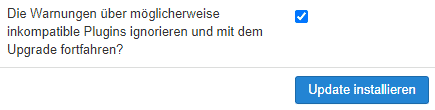
The update is quite extensive - in addition to the template, one or more extensions usually also have to be switched to a more modern equivalent. Unfortunately, this cannot work fully automatically, and after clicking [ Install update ] some manual adjustments are required. To be able to do these in peace and quiet, it makes sense to create a copy of the live site and work with it without risk or time pressure.

To a Joomla staging environment in 8 steps
- Create a full backup with Akeeba Backup (this includes files and database).
- Create a folder for the staging environment on the webspace.
- Create a subdomain with the host and link the folder created earlier, e.g. j4.example.org
- Create a new database in the hosting panel - note down the access data.
- Copy the Akeeba backup created (*.jpa or *.zip) into the folder created earlier.
- Download and extract Akeeba Kickstart.
- Upload kickstart.php to the same folder on the webspace.
- Open j4.example.org/kickstart.php - extract the backup file and follow the backup installation instructions.
Additional tips
- Announce a content freeze for the live website
- this way, if everything fits, the staging environment can be taken live directly without any further content comparison. - If necessary, remove/deactivate the statistics/Google Analytics code so the staging environment does not appear in the statistics.
From Joomla 3 to Joomla 4 - update instructions
There can be no universal update guide due to the wide variety of J3 setups. The general procedure is:
After Joomla has first been updated to the latest 3.10.x version, under Components -> Joomla Update, the update server must be switched to Joomla! Next in the [ Options ] at the top right.
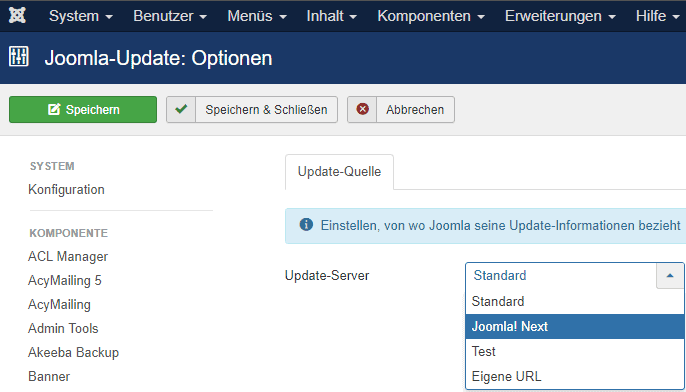
Then Joomla! 3 will display the Joomla! 4 update, at the latest after clicking [ Check for Updates ].
In the Pre-Update Check (installation check for Joomla 4), all warnings indicating incompatibilities with third-party extensions should be resolved.
After that, the update can be started in the "Live Update" tab.
Happy updating! 🚀
...and good luck. If you have any questions or problems, the Joomla.de support forum as well as the Joomla! D-A-CH Facebook group are there to help.
Template recommendations for Joomla! 4 - modern and future-proof

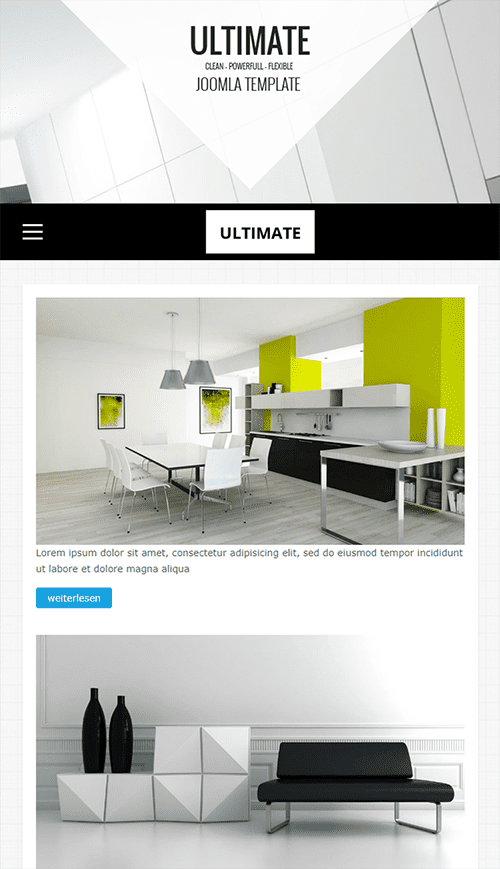


from 89 € incl. VAT
Third-party extensions by effort.
- Details
- Last Updated: 19 February 2022

I had a backup ready and the update has finally worked.
Now I need a new template. Thanks for the recommendations!!