
 Joomla MCP Server - danach sucht, wer Claude oder ChatGPT direkt mit der eigenen Joomla-Website verbinden will. Die Idee ist bestechend: Du fragst die KI in normaler Sprache "Sind alle meine Seiten aktuell?" oder "Leg mir einen Artikelentwurf an", und sie erledigt es - über eine standardisierte Schnittstelle namens MCP. Dieser Beitrag erklärt, was ein MCP Server ist, welche Wege es für Joomla gibt und warum wir die KI-Steuerung im HTProtect-Dashboard so gebaut haben, dass genau das ohne eigenes Server-Gebastel funktioniert - und ohne dass die KI mit Vollzugriff unkontrolliert deine Seite zerschießt.
- Last Updated: 03 August 2026
 Joomla Security Extensions are available by the dozen in the directory - but when things get serious, everyone talks about the same four: Akeeba Admin Tools, RSFirewall, Securitycheck Pro, and our own HTProtect. So upfront: yes, we are also comparing our own tool here, and yes, we will tell you at the end what we recommend. In between, you will get a table and assessments you can verify line by line - what each extension can do, what it costs, and where its limits are. And why the real question in 2026 is no longer "firewall or scanner?", but: who protects my sites and keeps an eye on them centrally?
- Last Updated: 31 July 2026
 Joomla Multisite Management starts off innocently enough: three client sites, everything under control. At twelve it gets unwieldy, at thirty you start guessing. And when a vulnerability like the one in JCE or SP Page Builder becomes public, the first question is not "how do I patch this" but "on which of my sites is this thing even running?" A central dashboard answers exactly that in seconds. This article shows how that works with the HTProtect.app Control Dashboard - without handing over master keys to all your sites.
Updated: 25. Juli 2026
- Last Updated: 25 July 2026
For the widely used Joomla template framework Helix Ultimate (from JoomShaper), version 2.2.7 was released today, July 7, 2026 - a security update you should not put off until tomorrow. It closes several vulnerabilities in an AJAX handler that Joomla also runs for non-logged-in visitors. The most serious allows an attacker, without any login at all, to write to your menu settings and inject malicious code that is then executed in your visitors' browser - and in your own admin session.
- Last Updated: 07 July 2026
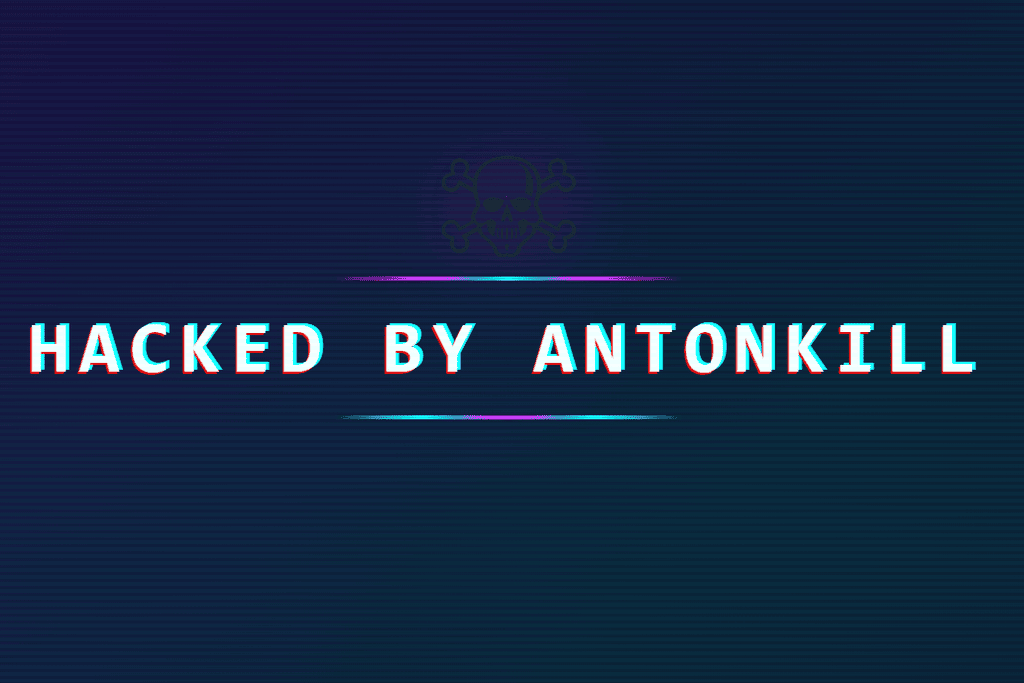 Hacked by AntonKill - this message has been appearing since early July 2026 on a wave of hacked Joomla sites, often alternating with Hacked by trenggalek6etar. This is not a targeted attack, but an automated botnet exploiting a newly discovered vulnerability in JoomShaper's Helix3 framework. The actual site usually remains unharmed - the attacker only places a full-screen defacement over it. Here you'll learn how to recognize it and how to remove it completely.
As of: 6 July 2026
- Last Updated: 06 July 2026
 Joomla automatic extension updates sound convenient, but they are a double-edged sword. On the one hand: outdated extensions are by far the most common reason why a Joomla site gets hacked. On the other hand: a blindly installed update can just as easily bring a site down, through a broken release or, worse, a compromised one. Here you will learn how to keep extensions automatically up to date while keeping the risk low.
As of: 28 June 2026
- Last Updated: 28 June 2026
 Joomla Malware Scanner - anyone searching for this usually already has a bad feeling. The site suddenly redirects to a dubious shop, Google shows a red warning, or the host reports spam being sent from your own server. A scanner is then the first tool: it searches files and databases for malicious code, shows you what does not belong there, and helps with removal. This article explains what a Joomla Malware Scanner really does, how to scan properly - and introduces the free HTProtect scanner that we use every day.
Status: 26 June 2026
- Last Updated: 26 June 2026
 Joomla Firewall sounds like a single product you switch on and then everything is calm. In reality, it is an interplay of several layers, and very few sites need all of them. This article clears up the term: what a firewall actually blocks in Joomla, where a real Web Application Firewall comes into play, and which of the common solutions - HTProtect, Akeeba Admin Tools and RSFirewall - is worthwhile for which site. Honest, without marketing fluff.
As of: 20. June 2026
- Last Updated: 20 June 2026
A emergency update to version 6.6.2 is now available for the widely used Joomla page builder SP Page Builder (from JoomShaper). It closes a critical zero-day vulnerability that lets a non-authenticated attacker upload and execute a malicious file on the server - effectively taking full control of your site. This SP Page Builder security flaw is already being actively exploited.
- Last Updated: 16 June 2026
For the Joomla event extension iCagenda (by JoomliC), version 4.0.8 was released today, June 15, 2026 - a security update you should not put off until tomorrow. It closes a critical iCagenda security vulnerability that could allow an unauthenticated attacker to submit events and upload a file to the server in the process. According to the reporter, this Joomla vulnerability is already being actively exploited.
- Last Updated: 15 June 2026
 Securing Joomla sounds like a huge project, but it is not. Most hacked sites that end up with us were not taken down by some brilliant attack, but by an outdated plugin, a weak password, or an open .htaccess. If you do a handful of things right, you already stop the majority of automated attacks. That is exactly what we will walk through here, in the order that actually makes a difference.
Updated: 12 June 2026
- Last Updated: 12 June 2026
HTProtect is a free Joomla component that secures your site with just a few clicks and keeps it automatically up to date - primarily via the central .htaccess (the web server control file that determines which requests are allowed through at all). It runs on Joomla 2.5 to 6, on Apache and LiteSpeed (for nginx there is a ready-made rules block) and under PHP 7.4 to 8.5.
🆕 htprotect.app - Einfaches Joomla Site Management für mehrere Websites.
Current version: HTProtect 2.3.0 · 20. June 2026
- Last Updated: 11 June 2026
 Just received an email with the subject "Attack on your IONOS contract"? First, the good news: this email is usually genuine and really does come from IONOS. The IONOS virus scanner has found a malicious file on your webspace and blocked it from running. Bad news: if the scanner triggers, your site is very likely already hacked - and the one blocked file is usually just the tip of the iceberg. Here you will learn what the email really means, what IONOS does (and does not do), and which steps will actually get your webspace clean again.
- Last Updated: 09 June 2026
 Hack, botched update, or move to a new server: if you have an Akeeba backup, you can use it to get your Joomla site back. The Akeeba Backup restore is handled by two small helpers - kickstart.php extracts your backup archive directly on the server, then the built-in installer ANGIE restores the files and database. It sounds technical, but it is usually done in 10 to 20 minutes - even the first time.
- Last Updated: 07 June 2026
 The JCE Editor (Joomla Content Editor) is by far the most widely installed editor extension for Joomla - and that is exactly what makes the newly disclosed JCE security vulnerability so critical. On June 3, 2026, JCE 2.9.99.5 was released as a critical security update that closes a flaw through which unauthenticated attackers can upload arbitrary files to the server.
- Last Updated: 03 June 2026
Do you want to secure the Joomla admin area with .htaccess password protection? The htprotect plugin does it in 30 seconds via the Joomla Extension Manager: install the ZIP, assign a user name + password - done. After that, the plugin uninstalls itself automatically. Compatible with Joomla 3.10, 4, 5 and 6.
- Last Updated: 08 May 2026

Implementing a Joomla website multilingual with AI used to be a real challenge: manual translations take a lot of time, cloud proxies such as Linguise or ConveyThis route page requests through third-party infrastructure, and custom AI solutions were usually only practical with bespoke development. With WBLingua, there is now a much more direct way. The Joomla extension integrates OpenAI, DeepL, and compatible models directly into Joomla and automatically translates content into the respective language directories - without an intermediate proxy, without a mandatory subscription, and without a prebuilt translation platform.
The key is to have the right expectations: WBLingua does not replace a human's linguistic fine-tuning. Instead, automatic translation provides a very good initial version in terms of content and structure, which makes it much faster to edit and stylistically refine texts afterward. Especially for websites with many articles, modules, or recurring text blocks, this saves a lot of time without losing editorial control.
- Last Updated: 13 April 2026
 Many Joomla site owners do not even realize that the Tassos Framework or the earlier Novarain Framework is installed on their website at all. That is exactly what makes this vulnerability so troublesome: it affects the plg_system_nrframework plugin, which often runs quietly in the background as a technical dependency.
- Last Updated: 04 April 2026
 Anyone running a Joomla website with the Astroid Framework should take a close look now. The reason is a critical joomla astroid framework vulnerability published under the identifier CVE-2026-21628. According to the known classification, Astroid versions from 2.0.0 to 3.3.10 are affected. The security fix was initially released with version 3.3.11. However, it is advisable to update directly to 3.3.13 or newer.
- Last Updated: 11 March 2026
Slow loading times, poor support, or simply being too expensive for what is offered - these are the most common reasons why customers ask us for help with a hosting migration. And in fact, in our daily work on WordPress and Joomla websites, we regularly see the difference a good host makes. The good news: with the ALL-INKL migration service and our full service, switching providers is neither complicated nor risky.
- Last Updated: 19 February 2026
Sometimes a WordPress site looks completely normal from the outside - and yet it contains a backdoor. One especially nasty pattern is when names like one_images_user, admlnlx, or adminbackup appear as new, unknown admin users. These are not "odd coincidences," but often clear signs of an infection that is trying to secure permanent admin access.
- Last Updated: 19 February 2026
If you’ve ever searched for “IONOS website cleanup,” you’ve probably come across our listing in the IONOS Partners Network. This is what it’s about: not a buzzword, but a long-standing collaboration – now with around 100 linked IONOS client projects.
- Last Updated: 19 February 2026
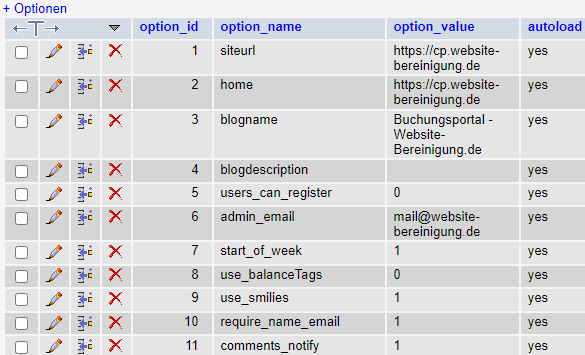 Recently, WordPress Site Health (in the dashboard under Tools) has been warning about too many autoloaded options. WordPress stores most settings in the wp_options table. These are sometimes automatically loaded into memory via the autoload property. Over time, some of these autoloaded options can accumulate - sometimes with considerable size. For better WordPress website performance, it therefore makes sense to optimize the wp_options table from time to time and clear out old clutter.
We explain how you can fix the performance problem.
- Last Updated: 16 August 2024
Here is a selection of reliable and recommended web hosts that are especially well suited for WordPress and Joomla projects.
We know all providers from our own experience and are happy to support you with any questions about your website.
- Last updated: 07 May 2024
 If you run a WordPress website, you may encounter the error "Error establishing a database connection". This problem can have several causes, such as incorrect database settings in the wp-config file or unreachable database hosts. In this blog post, you will find helpful tips on how to fix the problem quickly and easily.
We explain how you can check the database connection and be back online in just a few steps!
- Last Updated: 05 November 2023
Unfortunately, there is no reliable PHP 8.1 compatibility checker for WordPress in general. Here you can find out the best way to approach the PHP migration and testing.
- Last Updated: 27 February 2023
 The popular YOOtheme templates for Joomla 3, based on the Warp Framework (Warp 6 and Warp 7), are unfortunately not officially compatible with PHP 8.
The first error message that appears is:
Fatal error: Declaration of Warp\Dom\Element::before($data) must be compatible with DOMElement::before(...$nodes): void
Depending on how extensively the template features are used, Warp 7 can be made PHP 8 compatible with a few adjustments.
- Last Updated: 27 February 2023
With the end of support for PHP 7.4, many web hosts are asking their customers to switch their Joomla website to PHP 8. Here you can learn how the Joomla 3 move to PHP 8 works.
- Last Updated: 26 February 2023
On 14.11., PHP 7.4 was switched off at Hosteurope. Other web hosting providers are following suit. Pushing through "offline" updates afterward is generally possible - we can help with the migration.
- Last Updated: 24 February 2023
With the help of the Google Webfonts Helper or the @font-face Downloader, you can download all required formats of your Google fonts. The CSS needed for local integration is included directly.
- Last Updated: 04 November 2022
With our Google Fonts Checker, you can test your website for the presence of Google fonts in just a few seconds.
- Last Updated: 12 August 2022
 What is the easiest and most effective way to protect WordPress against hacker attacks? There are already many in-depth articles and different approaches to WordPress security and how to secure WordPress. This article is about creating significantly more security with little effort.
This blog post is intentionally kept short. Anything that does not help much, is too complicated, or is hardly feasible without specialist knowledge has been deliberately left out.
- Last Updated: 22 March 2022
With the free Sucuri Sitecheck, you can have your WordPress website scanned from the outside for malware and spam.
- Last Updated: 26 July 2022
 In 2022, the so-called Japanese Keyword Hack is still going strong.
As a symptom of a WordPress hack, Japanese (Chinese) pages are automatically generated and placed in the search results, and sometimes submitted to Google in the thousands via similarly compromised sitemaps.
If the SEO spam persists for longer, it leads to significant ranking losses. We help get the problem under control quickly.
- Last Updated: 09 August 2022
Using this practical script, a new Joomla Super User (admin) can be created in the database quickly and conveniently.
- Last Updated: 28 January 2022
 Updating from J3 to Joomla 4 can be a big step, depending on the complexity of the website. Without the proper preparations, the Joomla 4 update will fail. It is strongly recommended to carry out this step not on the live site, but in a test environment. This avoids website downtime. A copy of the live site can be set up very easily with a backup extension.
- Last Updated: 19 February 2022
With this practical script, a new WordPress admin user can easily be created in the database.
- Last Updated: 05 March 2021
For some weeks now, we have increasingly noticed that the hosting packages at Strato are slow. WordPress performance there is sometimes a real problem, especially during peak times. You can find out here how to make your website faster at Strato and avoid long loading times.
- Last Updated: 26 February 2021
 Photo © ALL-INKL.COM
The ALL-INKL virus scanner reports virus findings? ALL-INKL is one of the best web hosts in Germany with exemplary malware handling. Find out here how to optimize account security after the webspace has been hacked (or proactively).
- Last Updated: 16 June 2020
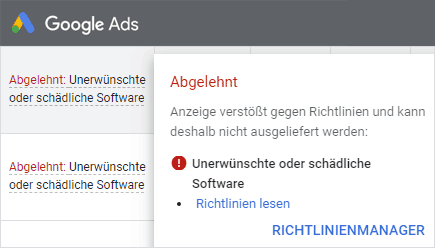 If you advertise with Google, the message "Rejected: Unwanted or harmful software" is often an initial indication that your website has been hacked. Google Ads (AdWords) reacts very sensitively to unwanted software and harmful links. Individual ads or entire campaigns are quickly rejected and suspended until further notice because of injected malware.
- Last Updated: 03 April 2020
As soon as a new Joomla update is available, Joomla sends an email to all administrators by default. This is not spam, and the update notification can simply be disabled in the plugin settings.
- Last Updated: 11 March 2020
 A popular target of current spam campaigns is a supposed Google giveaway. Accompanied by a shower of confetti, the message "You have made the billionth Google search" appears. Of course, there is nothing to win here and it is a fake. The site serves solely to collect personal data, which is then sold.
The cause of the giveaway redirect is often a hacked (WordPress) website. Triggered by script viruses, after a just under 5-second redirect loop you end up on the data collectors' pages.
- Last Updated: 11 February 2021
 In many current WordPress hacks, the symptom occurs that visits to the website are redirected to a foreign domain. This is referred to as "malware redirects" or "spam redirects".
This article explains how this redirect happens and which variations are possible. The redirects do not always occur regularly, which means this type of hack can remain undetected for a long time.
One thing is clear: urgent action is needed so that no valuable traffic is lost.
- Last Updated: 04 May 2020
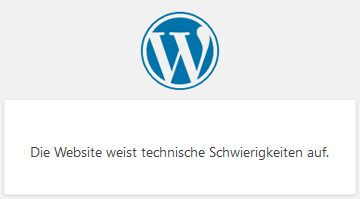 Instead of a white, blank page, WordPress has shown the message "The website is experiencing technical difficulties" since version 5.2. This means there is a serious error in the PHP execution, so the page cannot be displayed. In most cases, the error is caused by an incompatible WordPress plugin or the theme. In many cases, the admin login is no longer possible either.
Here you can find out how to resolve the technical difficulties.
- Last Updated: 24 February 2023
 Strato ranks third among Germany’s largest web hosts, directly behind 1&1 Ionos and Hetzner. Through aggressive €1 marketing and large-scale "Service Champion" advertising campaigns, the provider has gained a market share of almost 14% over the years.
Accordingly, the share of our customers who host their website at Strato is also high. In principle, Strato is well equipped in terms of security features. However, if a hack occurs, the malware handling is poorly implemented.
If the server-side malware scanner finds malicious files as a result of a hacker attack, the hosting package is promptly suspended and you receive an email with the subject line "Sperrung Ihres Paketes ...".
- Last Updated: 09 August 2019
A common problem is that no update is displayed despite an outdated Joomla version. You can see the current version of your Joomla installation in the lower right area of the admin section.
- Last Updated: 23 July 2019
 The release of Joomla 4 is moving further into focus with Alpha 11.
In addition to a number of new features, Joomla! 4 offers a clean and high-performance code base that follows best practices in web development.
The alpha status is not yet intended for production use - however, it is already worth taking a look at the new backend and the new front-end standard template "Cassiopeia".
Here you can test the admin area on our Joomla 4 demo installation:
- Last Updated: 28 July 2019
By the end of 2022, using an older PHP version (5.6 - 7.4) as part of the "PHP Extended Support" at Strato and 1&1 will become an expensive matter. To avoid exorbitant additional costs, you should not ignore the PHP upgrade.
- Last Updated: 27 May 2019
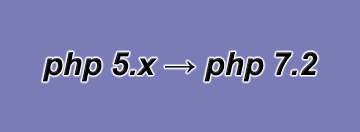 At the turn of the year, PHP 5.6 will be switched off by many web hosts.
Joomla websites with an older version will then no longer be functional, because Joomla has only been compatible with PHP 7 since version 3.5. We help with the switch to PHP 7.3 and explain possible problems during the update.
- Last Updated: 04 December 2018
A very critical vulnerability in the WP GDPR Compliance plugin is currently being exploited (100,000+ active installations).
- Last Updated: 11 November 2018
Tips for maintaining WordPress websites.
- Last Updated: 24 February 2023
 Joomla has, in the past, gained a bit of a reputation as a spam machine. Unfairly so, because there are simple ways to fix it! Cyberattacks are commonplace on the internet these days. All the more important, then, to protect yourself against them.
As soon as a new website can be found in the Google index, it starts - the first bots stop by. With the exception of search engine bots, you rarely benefit from their visits. Among the most annoying of their kind are spambots - always on the lookout for unprotected forms.
- Last Updated: 30 August 2018
A hacked website is not always easy to identify from the outside. Here we present our top 5 security and WordPress malware scanners, which we regularly use in advance to scan potentially hacked domains for viruses.
- Last Updated: 06 May 2020
 You can see that you see nothing! :-)
A blank white page in the Joomla front end or back end is a common problem that at first leaves many Joomla users puzzled.
The problem: PHP execution stops because of an error.
Most live Joomla installations respond with a completely empty white page.
The first step toward troubleshooting is to make the error visible.
- Last Updated: 30 August 2018
