
WordPress - The website is experiencing technical difficulties
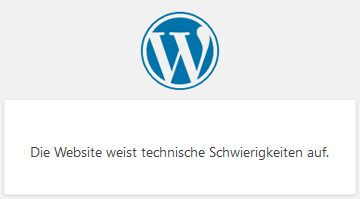 Instead of a white, blank page, WordPress has shown the message "The website is experiencing technical difficulties" since version 5.2. This means there is a serious error in the PHP execution, so the page cannot be displayed. In most cases, the error is caused by an incompatible WordPress plugin or the theme. In many cases, the admin login is no longer possible either.
Here you can find out how to resolve the technical difficulties.
PHP error protection - successor to the "White Screen of Death"
If a WordPress plugin or theme caused a fatal PHP error, this used to result in a completely blank white page. Since May 2019, WordPress has been notifying users and indicating that the website is experiencing technical difficulties.
There are various reasons why the WSOD can occur in WordPress. It can be caused by a wide range of factors, such as:
- Problems with the PHP version or the server's memory limit
- Conflicts with plugins or themes
- Corrupted files or database issues
In some cases, the WSOD can be resolved with simple troubleshooting measures, such as deactivating plugins or changing the PHP version. In other cases, however, more in-depth troubleshooting may be required or professional help may need to be sought.
It is important to fix the WSOD as quickly as possible to ensure that your website remains accessible to visitors and does not lose search engine rankings and traffic. It is recommended to perform regular backups of your website so that, in the event of a critical error like the WSOD, you can revert to an earlier version of the site.
WordPress recovery mode
The WordPress error recovery mode is a built-in tool in WordPress designed to fix issues during plugin or theme updates that can cause errors on the website. If an error occurs during an update, WordPress can enter recovery mode to ensure that the website remains accessible and the administrator is able to resolve the issue.
In recovery mode, the default WordPress theme is automatically activated to ensure that the problem is not caused by a faulty theme. All other plugins are deactivated during this time to avoid possible conflicts.
If the administrator accesses the website while recovery mode is active, a warning message is displayed indicating that the website is currently running in recovery mode. The administrator can then either deactivate the faulty plugin or theme, or roll back safe changes that may have caused the problem.
Once the problem has been resolved, the administrator can manually deactivate recovery mode by clicking the "Exit" button. Alternatively, recovery mode is automatically deactivated when the administrator logs out or uses a different browser.
The WordPress error recovery mode is a useful tool that can help resolve problems quickly and ensure that the website remains accessible to visitors, even if an error occurs during an update.
Technical difficulties in WordPress can have many causes and lead to slow or faulty website functionality. It is important to resolve them as quickly as possible to ensure an optimal user experience. A professional WordPress developer can help diagnose the causes and fix the issues.
- Details
- Last Updated: 24 February 2023
