
SSL migration - HTTPS encryption for Joomla & WordPress
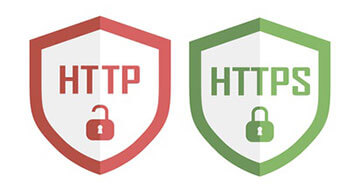 If you have not yet equipped your domain with an SSL certificate, now is the time. If forms are used on a website or visitor data is collected in any other way, SSL encryption has been mandatory since the introduction of the GDPR.
In addition to legal requirements, it is also a ranking factor for search engines. Switching to HTTPS is therefore always worthwhile and offers only advantages.
Many providers now offer an SSL certificate free of charge.
Offer - seamless HTTPS / SSL migration at a fixed price
If you have any uncertainties when switching to HTTPS, we will be happy to handle it for you, including all necessary steps. It does not matter whether you use Joomla or WordPress - we are thoroughly familiar with both systems.
As part of our WordPress / Joomla maintenance plans, adjusting your system is included free of charge.
After the SSL certificate has been obtained from your provider and activated, a few website adjustments are still necessary.
Below you will learn what needs to be considered for Joomla! and WordPress sites regarding the encrypted connection.
In principle, all embedded resources must also be transmitted encrypted. This includes, for example, images, CSS files, JavaScript files or fonts. If this is not done consistently, the web browser will display a so-called mixed content warning - the padlock in the address bar is not green, but gray and marked with a warning triangle.
Which resources are affected and therefore blocked can be identified via the browser console (right-click -> Inspect) or with an SSL checker. A recommended tool for this, which also crawls subpages, is the JitBit SSL Check.
On smaller websites, mixed content errors can be fixed manually - if there is a larger amount of content, bulk replacement directly in the database is recommended.
Switch Joomla to HTTPS - activate SSL encryption
- In the system configuration under the Server tab, activate "Force HTTPS" -> for the "entire website". This redirects every http request to https. An additional .htaccess redirect is not necessary - Joomla redirects to https correctly on its own using 301 code.
- Fix mixed content warnings - possible necessary steps:
- Adjust image source URLs in articles
- Correct absolute links
- Change the inclusion of CSS/JS/font files in the template to https
(Some templates and extensions offer an option for this)
WordPress SSL encryption with HTTPS redirect
- Change the WordPress and site address (URLs) under "Settings -> General"
- Fix mixed content errors:
- Update inserted images
In addition to manual adjustments, the plugin "Better Search Replace" is ideal for replacing all occurrences of the unsecured URL with the https version in one go. - Ensure that all CSS/JS/font files are loaded encrypted by the theme
- Correct links in menus
3. Force HTTPS redirect via the .htaccess file
To ensure the site always redirects to the HTTPS version, you can add the following rule to the .htaccess file:
RewriteEngine On

##### Optionale Weiterleitung non-www zu www
RewriteCond %{HTTP_HOST} !^www\. [NC]
RewriteRule ^(.*)$ https://www.%{HTTP_HOST}/$1 [R=301,L]

##### HTTPS erzwingen
RewriteCond %{HTTPS} !=on
RewriteRule ^ https://%{HTTP_HOST}%{REQUEST_URI} [L,R=301]
The first section ensures that https://example.org is redirected to https://www.example.org. This is necessary if the SSL certificate is not valid for both variants (which is the case, for example, with Alfahosting or Hosteurope).
If you choose the non-www version (always https://example.org), use this .htaccess rule instead:
##### Weiterleitung www zu non-www
RewriteCond %{HTTP_HOST} ^www\.(.+)$ [NC]
RewriteRule ^(.*)$ https://%1/$1 [R=301,L]
Switch WordPress to HTTPS with a plugin
Using a WordPress plugin for the HTTPS migration is rather suboptimal. Although the authors of, for example, Really Simple SSL advertise that everything is very easy and only a few clicks are needed - in practice it usually turns out differently, and often the purchase of the paid Pro version is necessary to achieve a flawless result. Apart from that, every plugin slows down the website and increases maintenance effort. So it is better to avoid using a plugin and make the adjustments manually.
Further recommended steps
- Register the HTTPS address in Google Search Console
- Change incoming links wherever possible
