
Joomla multilingual with AI: Complete guide to automatic translations (2026)

Implementing a Joomla website multilingual with AI used to be a real challenge: manual translations take a lot of time, cloud proxies such as Linguise or ConveyThis route page requests through third-party infrastructure, and custom AI solutions were usually only practical with bespoke development. With WBLingua, there is now a much more direct way. The Joomla extension integrates OpenAI, DeepL, and compatible models directly into Joomla and automatically translates content into the respective language directories - without an intermediate proxy, without a mandatory subscription, and without a prebuilt translation platform.
The key is to have the right expectations: WBLingua does not replace a human's linguistic fine-tuning. Instead, automatic translation provides a very good initial version in terms of content and structure, which makes it much faster to edit and stylistically refine texts afterward. Especially for websites with many articles, modules, or recurring text blocks, this saves a lot of time without losing editorial control.
This guide explains how to set up Joomla multilingual with AI in a sensible way, what you should pay attention to, and how WBLingua differs from Linguise, GPTranslate and Joomill Autolanguage.







 more languages to follow
Why make Joomla multilingual with AI?
Joomla already includes many features for multilingual websites: the Language Filter plugin, language associations and language-specific menus. However, the real effort starts with the content. Texts still need to be translated and maintained. Articles, menu items and modules exist as separate entries for each language and must be kept properly up to date. With 30 blog posts and three languages, that quickly adds up to 90 pieces of content that need to be managed in parallel.
This is exactly where an Joomla AI translation can take over a lot of routine work. Instead of manually translating every text from scratch, you first get a solid draft that then only needs to be reviewed, polished and stylistically adjusted. In practice, this saves a large part of the previous effort, especially for blog posts, service pages, category pages or recurring standard texts.
The decisive advantage is not that human review becomes unnecessary, but that you no longer start from scratch. Used sensibly, this approach provides a clean starting point for fine-tuning and also makes it much more efficient to maintain larger websites. At the same time, properly implemented multilingual support with hreflang tags improves visibility in additional markets.
The three ways to make Joomla multilingual
There are essentially three approaches for a multilingual Joomla website:
- Native and manual: using Joomla's built-in tools and traditional hands-on work. This gives maximum control, but it also takes the most time.
- Cloud proxy: services such as Linguise or ConveyThis sit in front of the website, translate content on the fly, and deliver it through their own infrastructure. This is convenient, but it also means additional dependencies and ongoing costs.
- Self-hosted AI: a Joomla extension such as WBLingua, GPTranslate or Joomill Autolanguage PRO accesses AI models directly from your own server, stores translations in its own database, and delivers them via normal SEF URLs - without a proxy layer and with full control over data and costs.
If data protection, independence, and predictable costs matter to you, a self-hosted approach is usually the best choice. WBLingua supports Joomla 3, 4, 5 and 6 directly and can be operated entirely without an additional cloud layer.
WBLingua: AI translation directly in Joomla
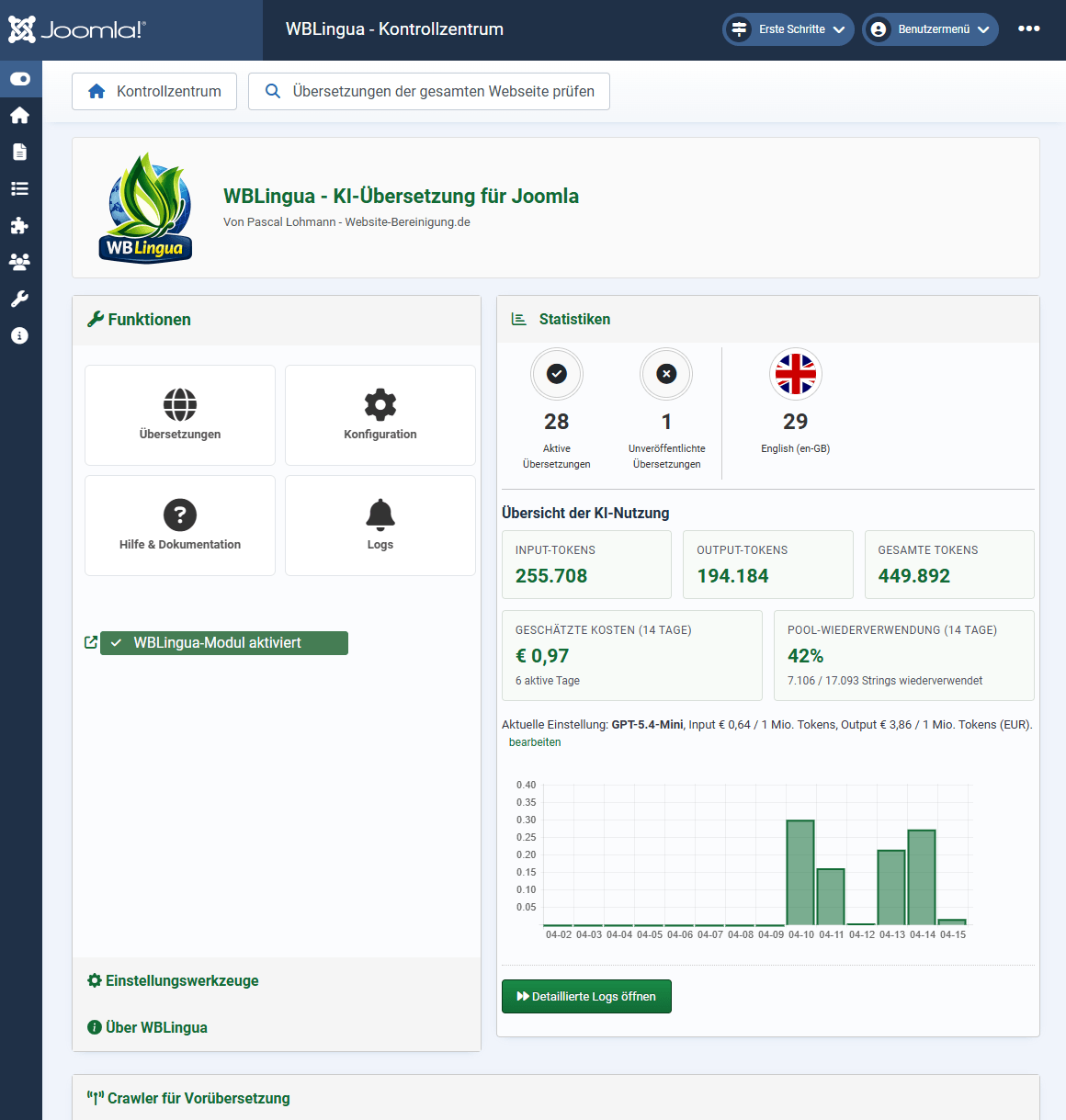
WBLingua consists of a Joomla component and a system plugin that brings the translation workflow directly into the backend. When a page is first called up in a target language, relevant content such as body text, alt attributes, titles, and placeholders is detected, sent in a bundle to the configured model, and then stored permanently in the database. All subsequent requests are then served directly from the cache.
The result is not a final version set in stone, but a highly usable translation base that already goes a long way in many cases and can then be fine-tuned manually in a targeted way. That is often where the greatest practical benefit lies: less grunt work, faster first drafts, and significantly less effort for linguistic polishing.
The machine does not replace editorial work - the raw translation replaces the tedious first step.
Highlights of the current release v1.2.27:
- Flexible model selection: OpenAI, DeepL, Claude and other compatible providers can be connected through a unified configuration.
- Delta check: Only content that has actually changed is translated again. This saves tokens and keeps ongoing costs low.
- Bulk delta check: The entire website can be checked in advance before new translations are triggered. This keeps control over which content is actually processed.
- Pool reuse: Identical text blocks are translated only once and then reused in as many places as needed.
- Inline tag preserve: Formatting such as
strong,em, a,small, ...is preserved during translation. - Forced dictionary: Custom terms, brands, or technical vocabulary can be defined as mandatory.
- Crawler for pre-translation: The entire website can be translated in advance so visitors see the target languages right away.
- Over 100 languages: Depending on the model, numerous target languages are available, including SEF URL handling and a language switcher module.
Installation in 3 steps
- Upload ZIP: via Extensions → Install → File Upload, the WBLingua package is installed. It includes the component, module, system plugin, and finder plugin.
- Enter API key: in the component, the key for the desired provider is stored and the appropriate model is selected.
- Activate languages: the target languages are then enabled. The "WBLingua Language Switcher" module can be placed at the desired position, typically in the header or footer.
This already lays the foundation for running a Joomla website multilingual with AI efficiently.
How the delta check reduces translation costs
The greatest economic leverage lies in the targeted reuse of results that already exist. WBLingua calculates a hash for a page's content. As long as that does not change, the existing translation remains valid and nothing is sent to the model again. If there are changes, the plugin checks which specific strings are affected - and only those are translated again.
This is complemented by pool reuse: text modules that have already been translated are stored by language and are immediately available elsewhere. If the same footer text or CTA appears on multiple pages, no additional API call is needed. The bulk delta check extends this principle to entire page packages and reduces duplicate requests before the actual translation run.
Comparison: WBLingua vs. Linguise vs. GPTranslate
| Criterion | WBLingua | Linguise | GPTranslate |
|---|---|---|---|
| Hosting model | Self-hosted | Cloud proxy | Self-hosted |
| Pricing model | Free (AI API only) | Monthly subscription from around 15 € | One-time license + AI API |
| Privacy policy | Direct connection to the selected provider | Linguise server in between | Direct connection to the model |
| AI model selection | OpenAI, Claude, etc. | Linguise's own LLM | OpenAI, Claude, DeepL, Google |
| Joomla 3/4/5/6 | 3/4/5/6 | 4/5/6 | 3/4/5/6 |
| Open source | Yes (GPL) | GPL (subscription model) | GPL (49.99 €) |
| Delta check | Yes, hash-based | Automatic via proxy | Manual |
Which solution is the best fit depends mainly on your own priorities. If you want to get started as conveniently as possible and can live with external infrastructure, Linguise offers an easy path. If you want more control over data, costs and system architecture, a self-hosted approach is usually the better choice. That is exactly where WBLingua plays to its strengths.
Who is WBLingua ideal for - and who is it less suitable for?
So you can quickly assess whether Joomla translation with AI via WBLingua is a good fit for your project, here is an honest assessment:
A good fit if ...
- you host your Joomla website yourself and want to keep your data under your own control
- you prefer to pay only the actual model costs instead of monthly subscriptions
- you deliberately use the AI raw translation as a starting point for manual fine-tuning
- you use Joomla 3, 4, 5 or 6 and are looking for a solution across all major versions
- you regularly change content and want translations kept in sync automatically
Less suitable if ...
- you are looking for a pure "plug-and-forget" fully automated solution without editorial review
- you do not want to store an API key with an AI provider such as OpenAI or DeepL
- you have hardly any multilingual content - in that case, Joomla's built-in tools are often sufficient
- you have strict legal requirements that completely rule out machine first translations
- you would rather buy ready-made translations than refine them editorially
Frequently Asked Questions (FAQ)
Which AI models does WBLingua support?
Currently, OpenAI, DeepL and all OpenAI-compatible endpoints can be connected. Claude can also be integrated through the same configuration path. Additional providers can be added via a unified interface without needing to modify the core.
How much does it cost to translate a Joomla site?
The costs depend on the chosen model and the amount of content. For typical blog pages or service pages, they are often in the low-cent range per target language. The real advantage, however, lies less in individual cent amounts and more in the fact that you already get a very usable translation base that then only needs editorial refinement. Pool reuse additionally lowers follow-up costs, because recurring modules do not need to be translated again every time.
Does WBLingua work with Joomla 3 and Joomla 5?
Yes. There are parallel builds for Joomla 3.x as well as for Joomla 4, 5 and 6. This keeps the feature set usable across different major versions - without being forced to upgrade Joomla first.
Do translations stay up to date when content changes?
Yes. That is exactly what the delta check is for. If a source text changes, WBLingua detects the difference and translates only the affected strings again. Alternatively, the bulk delta check can be started manually to update multiple changes at once.
Can I maintain my own translations manually?
Yes. Every translation can be edited directly in the backend. In addition, the Forced Dictionary can store fixed preferred translations for terms, brands or technical words, which are taken into account during automatic runs.
Conclusion & next steps
Building a multilingual Joomla website with AI is significantly easier today than it was just a few years ago. Self-hosted solutions like WBLingua help create a solid translation foundation quickly, without delivering content through additional proxy services. The real strength lies not in fully automated perfection, but in a much more efficient workflow: first a clean machine-based foundation, then targeted manual fine-tuning.
Especially for larger websites with many pages, modules, and recurring texts, this is a practical middle ground between complete manual work and uncontrolled full automation.
- Details
- Last Updated: 13 April 2026


