
one_images_user / admlnlx / adminbackup: When WordPress creates hidden admins
Sometimes a WordPress site looks completely normal from the outside - and yet it contains a backdoor. One especially nasty pattern is when names like one_images_user, admlnlx, or adminbackup appear as new, unknown admin users. These are not "odd coincidences," but often clear signs of an infection that is trying to secure permanent admin access.
This article is deliberately not a general "WordPress gehacked" landing page. You may already have that. Here we are dealing with the niche: an admin is created, hidden, and deletion is sabotaged.
Quick self-check: If you see this, you are very likely affected
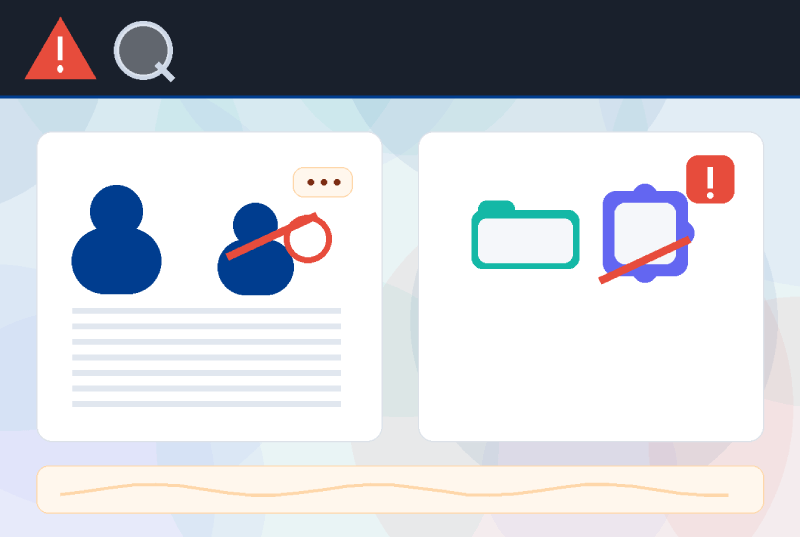
Typical indicators (IOCs):
- Unknown users such as
admlnlxoradminbackup(administrator role) - Plugin/folder names such as
one_images_userorwp_plugin - The number under "Administrators" does not match the visible list
- When editing/deleting, you get "Invalid user ID"
- A plugin exists on the server, but does not appear in the backend (or not reliably)
If at least one point sounds familiar: do not wait. Otherwise, such backdoors often remain "silent" - until they become active again.
What is behind one_images_user?
one_images_user sounds like a normal plugin. That is exactly the trick: such malicious packages are often named so that they look "harmless" at first glance.
- An admin user is created (e.g.
admlnlx) - This user is hidden in the user overview
- Deletion attempts are blocked (errors like "Invalid user ID")
- An ID/option is stored in the database so the disguise keeps working permanently
Why admlnlx and adminbackup are so critical
These names may seem random - but in practice they are often clear indicators: backdoor accounts with administrator privileges. adminbackup sounds like an "emergency account", but it is usually the opposite: an additional access point for third parties.
How WordPress users are made "invisible"
Many people think: "If I do not see the user, it does not exist." Unfortunately, that is wrong. Backdoors use WordPress hooks to manipulate the admin interface - without you noticing immediately what is happening.
What is often manipulated:
pre_user_query: filters the backdoor user out of the SQL queryviews_users: falsifies the counters ("All", "Administrators") - so you do not notice anything unusual- Direct access to
user-edit.phpor delete actions is blocked
The result is devious: everything looks "normal" while an admin exists in the background.
Special case: wp_plugin/wp_plugin.php
The folder name wp_plugin looks generic. In real malware cases, this is often a module that influences visitors - for example through overlays, redirects, or injected content. Often it is not shown to everyone in the same way (e.g. only on certain devices / only a few times per cookie).
What you should do now (brief, but truly effective)
The safe sequence
- Remove malicious components: fully remove fake plugins/malicious code
- Remove backdoor users:
admlnlx,adminbackupetc. - Rule out persistence: mu-plugins, uploads (PHP), suspicious DB options, cron jobs
- Rotate access credentials: admin passwords, hosting/FTP, DB password, WordPress SALTs
- Harden: enforce 2FA for admins + .htaccess (main file and wp-content)
- Backup strategy: automate clean backups (and do not accidentally restore infected ones)
Important: "Just update" is rarely enough with this pattern. What matters is that the backdoor does not come back.
FAQ
What is the one_images_user plugin?
In cleanup cases, one_images_user is often not a legitimate plugin, but a cover name. Typically, it is used to create an admin account and hide it so that it does not stand out clearly in the backend.
Who or what is admlnlx in WordPress?
admlnlx is often an injected administrator account. Such users are sometimes hidden so well that they do not appear in the user list and deletion attempts come to nothing.
What is the adminbackup user for?
The name sounds “harmless”, but it is often an additional backdoor admin. If you did not create it yourself, you should treat it as a security incident.
Why do I get “Invalid user ID” when I try to delete a user?
This happens when malicious code manipulates the WordPress backend and specifically prevents editing or deleting a particular user. In such cases, the manipulating code must be removed first.
Why does the number of administrators not match?
A classic trick is manipulating the counters in the user view (e.g. “minus 1”) so that the hidden admin does not stand out.
If you see these names, it is a clear warning sign
one_images_user admlnlx adminbackup wp_plugin/wp_plugin.php
Note: For security reasons, this post does not contain step-by-step instructions. It is meant for identification and classification - so it is clear what you are dealing with and what needs to be done next.
- Details
- Last Updated: 19 February 2026
