
Hacked by AntonKill: identify and fix the Helix3 vulnerability in Joomla
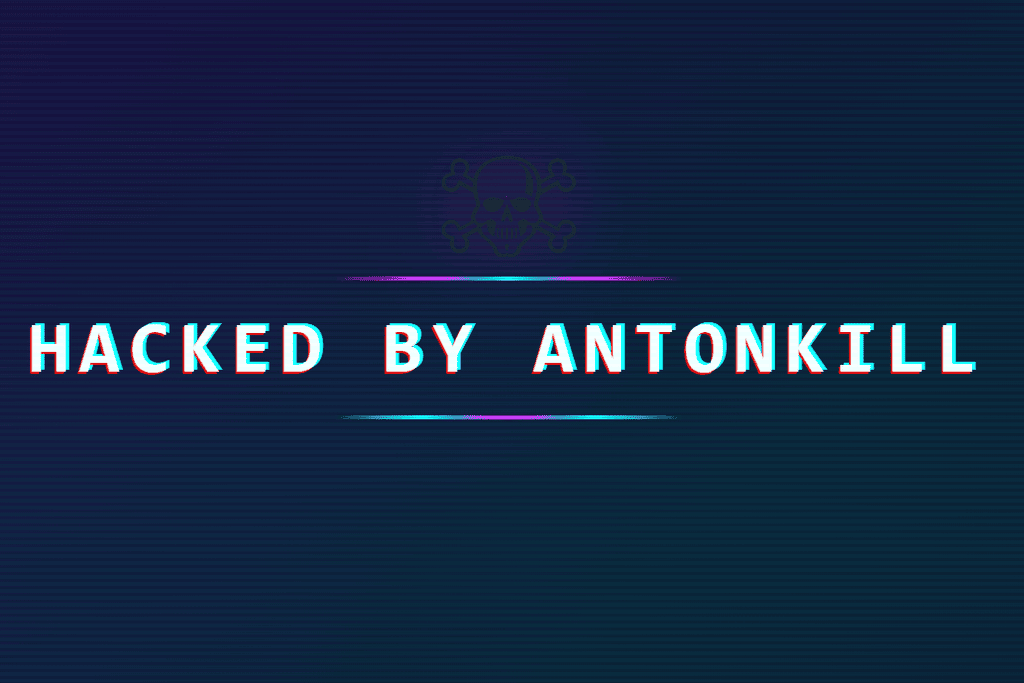 Hacked by AntonKill - this message has been appearing since early July 2026 on a wave of hacked Joomla sites, often alternating with Hacked by trenggalek6etar. This is not a targeted attack, but an automated botnet exploiting a newly discovered vulnerability in JoomShaper's Helix3 framework. The actual site usually remains unharmed - the attacker only places a full-screen defacement over it. Here you'll learn how to recognize it and how to remove it completely.
As of: 6 July 2026
The "Hacked by AntonKill" and "Hacked by trenggalek6etar" defacements are caused by several critical vulnerabilities in JoomShaper's Helix3 AJAX plugin. Through this, an attacker can write malicious code into the template options without logging in. In short: remove injected code from the template, update Helix3 (security fix from 3.1.1, currently 3.1.2) - both plugins - and check the site for further traces. Joomla 3, 4, 5 and 6 are affected.
Contents
What "Hacked by AntonKill" really is
Since 5 July 2026, a broad wave of attacks has been targeting Joomla sites. When affected users open their site, they only see a dark full-screen page with a skull and the text Hacked by AntonKill or Hacked by trenggalek6etar, depending on the variant. This is a pure defacement, i.e. digital vandalism: the attacker wants to cause visible damage, not steal data. Your content is usually still there; it is just covered up.
The attack runs fully automatically. A botnet scans the internet for Joomla sites with a vulnerable Helix3 framework and injects a piece of JavaScript when it finds one, without any login credentials. On the next page visit, this code renders the defacement in the visitor's browser. The malicious code does not end up in a file, but directly in the database, in the template options (field Custom JavaScript, sometimes also Custom CSS and Before </head>).
The cause: the Helix3 vulnerability
The Helix3 framework from JoomShaper is responsible, more specifically the associated AJAX plugin (plg_ajax_helix3). Several actions of this plugin can be called via Joomla's standard com_ajax interface without logging in. The vulnerabilities were reported by security researcher Phil Taylor (mySites.guru); a CVE number has been requested. In concrete terms, they allow, among other things:
- unauthenticated writing of files into the template (action
save, and via path traversal also outside it), - the deletion of arbitrary files (
removeandremove_image), for example the protective.htaccess, - the overwriting of the template settings (
import) - this is exactly what the current defacement wave is exploiting, - after login, privilege escalation up to code execution, because the image upload also accepted
.phpfiles.
Important: Helix3 is not Helix Ultimate. Only the older Helix3 is affected (system plus AJAX plugin). And it does not only affect old Joomla versions: according to the manufacturer, the plugin runs on Joomla 4, 5 and 6, and hacked Joomla 3.10 sites are also in circulation.
Am I affected?
Check the backend under System - Manage - Plugins for Helix3. If a version below 3.1.1 is shown, the installation is vulnerable. You can see whether malicious code has already been injected under Extensions - Templates - Styles - (your Helix3 style) - Custom Code: If there is foreign JavaScript there such as document.body.innerHTML = ... or a document.title with "hacked by", the site is compromised.
Complete solution: how to get rid of it
Follow the sequence: clean and secure first, then check. Create a backup of files and database before every step.
- Remove injected code. Under Templates - Styles - Custom Code, remove any foreign code from the Custom JavaScript, Custom CSS, and Before </head> fields and save. The cleaner approach is to restore the template options from a backup made before the attack; more on that below.
- Update Helix3. Check for updates under System - Update - Extensions and bring Helix3 up to the current version (security fix from 3.1.1, current 3.1.2). Update both plugins: System - Helix3 Framework and Helix3 - Ajax. If no update appears, download the package from your JoomShaper account and install it via Extensions - Install. Version 3.1.2 is also compatible with Joomla 3. A detailed step-by-step guide focused only on this vulnerability can be found at htprotect.org/helix3.
- Change passwords. All admin logins, the database, and FTP/SSH. Then check whether unauthorized super users were created under Users or existing accounts were renamed.
- Check the site for further traces. Because the vulnerability also allowed write and delete access, more than just the JavaScript may have been changed: unexpected files in the template folder, deleted
.htaccess, other modified template styles. A malware scan of files and database will provide clarity.
Remove malicious code from the database
Helix3 stores all template options as JSON in the params column of the #__template_styles table, one row per style. That is exactly where the injected code sits. The cleanest approach is to restore only this single params value from a backup made before the attack, not the entire table. You can identify the active frontend style by client_id = 0 and home = 1. Back up the current value before overwriting it so the step remains reversible. If you are not comfortable with direct database changes, it is better to have the site professionally cleaned instead of swapping good JSON for bad JSON.
So it does not happen again
The real mistake was not the attack itself, but the time window: between the public patch on 29 June and the update being installed, there was enough time for botnets to strike. The most important protection is therefore straightforward: update security-relevant extensions promptly, not only at the next maintenance window. By the way, the public changelog referred to the vulnerability only as "Security Update", without a severity rating, so do not rely on changelogs alone.

- Details
- Last Updated: 06 July 2026


