
Switch Joomla to PHP 7 - help with errors
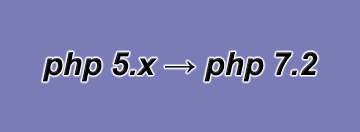 At the turn of the year, PHP 5.6 will be switched off by many web hosts.
Joomla websites with an older version will then no longer be functional, because Joomla has only been compatible with PHP 7 since version 3.5. We help with the switch to PHP 7.3 and explain possible problems during the update.
We fix minor issues from 59 € as part of our 30-minute support session immediately.
/!\ Warning: If you are still using Joomla 2.5, an update to Joomla 3.10.12 is mandatory.
PHP warning in the Joomla backend
Since Joomla 3.7, a warning notice has been displayed in the administration area to draw attention to an outdated PHP version. The following warning appears when the web server is running PHP 7.0 or lower.
Warning
If a PHP version <= 5.5 is still in use, the warning becomes an error. PHP 5.5 has not received any security updates since July 10, 2016.
Error
An overview of the support periods for each version from the official source:
http://php.net/supported-versions.php
Why you should update PHP
- Noticeably better performance (speed boost of more than 50 %)
- Higher Google PageSpeed score thanks to shorter server response times
- Ongoing version maintenance - more security
- Long-term support from web hosts
Update Joomla PHP version - preparations
To update your Joomla website to PHP 7.3 without any unpleasant surprises, a few prerequisites must be in place. If the following points are met, this keeps the error rate during the PHP update low:
- Using the current Joomla version (currently 3.10.12)
- A PHP7-compatible template
- Fully up-to-date extensions
The actual version change is then carried out in the web hoster's customer menu/control panel. If in doubt, search your provider's help section on this topic or contact customer service.
Possible problems - typical error messages (PHP errors)
Problems in PHP execution usually lead to a white page or an error message (Fatal Error) on an otherwise completely blank page. How the error can be made visible is described in a separate blog article.
Common problems
Error: Using $this when not in object context
Solution often: replace JSite::getMenu(); in the template with JFactory::getApplication()->getMenu();.
Error: [] operator not supportet for strings
Solution: The variable in question must be initialized with $variable = array(); instead of $variable = '';.
If the PHP update or the Joomla update causes problems, do not hesitate to contact us - we will help right away!
Troubleshooting can also take place via TeamViewer remote access.
[ Start live chat ] This email address is being protected from spambots. You need JavaScript enabled to view it.
- Details
- Last Updated: 04 December 2018

