
Joomla Firewall: Which WAF really protects your site
 Joomla Firewall sounds like a single product you switch on and then everything is calm. In reality, it is an interplay of several layers, and very few sites need all of them. This article clears up the term: what a firewall actually blocks in Joomla, where a real Web Application Firewall comes into play, and which of the common solutions - HTProtect, Akeeba Admin Tools and RSFirewall - is worthwhile for which site. Honest, without marketing fluff.
As of: 20. June 2026
Contents
What a firewall really does in Joomla
A firewall on the web is not an antivirus scanner and not a cure-all. It sits in front of your site and checks every request before Joomla ever sees it. If a request looks like a known attack - an attempt to inject malicious code through a form, upload a file where it does not belong, or call up an address that is typical for an exploit - it is rejected before your CMS even starts working. The technical term for this is Web Application Firewall, or WAF.
The difference to a malware scanner is important: a scanner looks for damage that is already there. A firewall tries to keep it out in the first place. The two complement each other, but they are not the same. If your site has already been hacked, no firewall can help you clean it up anymore - then you need a cleanup. A firewall is prevention, not repair.
The three layers at which blocking happens
The term Joomla firewall is also misleading because protection happens on multiple levels. Each sees a different amount and sits at a different distance from Joomla. Once you understand that, you can choose the right tools.
Before the server: CDN and network
Services like Cloudflare or Sucuri sit in front of your site and filter traffic before it even reaches your server. Their strength is the broad stuff: mass bot requests, DDoS waves, blocking entire countries or IP ranges. But they do not know Joomla from the inside and do not know which parameter in which form is dangerous. For most small and medium-sized sites, Cloudflare in the free tier is a sensible first layer, but no more than that.
On the server: web server WAF and .htaccess
On the server, two things take effect before Joomla even loads. One is a full Web Application Firewall built directly into the web server - on Apache typically mod_security, often with a ready-made rule set such as the OWASP Core Rules. It reads the entire request including the POST body, knows thousands of known attack patterns, and where it is available, it is the strongest single layer. The catch: on typical shared hosting you cannot access mod_security; the host configures it server-wide - if in doubt, ask whether it is running.
The other is the .htaccess, the control file for your web server (on Apache and LiteSpeed). With it, you can already stop a lot even without mod_security, before PHP starts: prevent PHP from running in upload directories, lock down sensitive files such as configuration.php or .env, block disguised files such as bild.php.jpg, and reject known exploit patterns. It is fast, costs practically no processing time, acts before Joomla - and is in your hands, not the hoster's. The details are in the practical guide to securing Joomla and specifically for .htaccess in the article securing .htaccess in the root directory.
In Joomla: the WAF with application context
Only at this level does protection understand the application context. A Joomla extension runs along as a system plugin and sees the request the way Joomla understands it - including the session and logged-in user. The upstream layers (mod_security, Cloudflare), however, see the pure content of a request including the POST body just the same; the real added value here is the state that only the application knows. Such a WAF filters SQL injection, cross-site scripting, or the injection of foreign files based on content and context. The price: it only intervenes once Joomla is already running, and only at the official entry points. It does not see a file called directly in the upload folder - that is why the server level with the PHP block in the upload folders remains the more important safeguard.
The rule of thumb is not a ranking, but a trade-off: on the outside, one layer sees all traffic early and without gaps, but without application context; on the inside, it knows the session and state, but intervenes late and only at the intended doors. No layer is more real or more correct than the other - the art lies in the sensible combination, not in stacking five tools on top of each other.
Is a firewall alone enough? Honestly: no
A firewall is great at buying time. When a vulnerability in an extension becomes known, automated attacks often start within hours. A WAF with up-to-date rules blocks that wave even if you have not installed the update yet. This is called virtual patching. But it does not replace the update.
The most effective protection for Joomla by far is, and remains, to keep the core and extensions up to date and consistently uninstall what you do not need. How this looks in practice is explained in detail in the Practical Guide to Securing Joomla. See a firewall for what it is: an extra barrier that protects you as long as you have not yet patched - not as permission to forget patching.
The Joomla firewalls compared
For Joomla, there are three solutions that really matter in practice: one free and two commercial. Here is what each one can do and who it is suitable for.
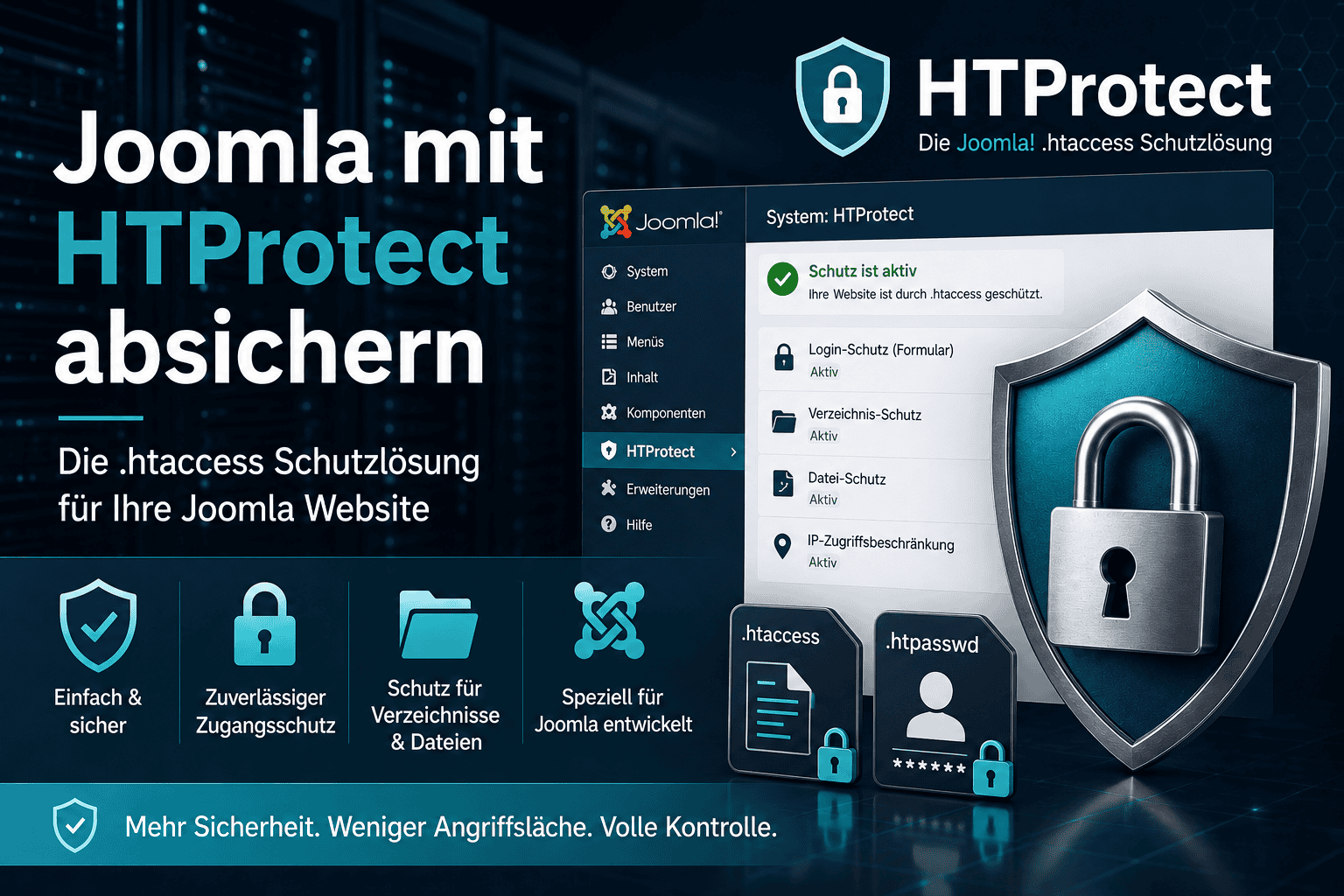
HTProtect Server Shield - free, lean, with mini WAF
HTProtect is our own free Joomla component. The focus is on the server level: with just a few clicks, it generates a hardened .htaccess with PHP protection in all critical folders, locked sensitive files, security headers, and enforced HTTPS. It also hardens the upload folders so that malicious code uploaded there cannot run - even if the main .htaccess is deleted.
In addition, HTProtect includes a small real-time firewall that runs in the background and stops attacks even in the POST part - exactly at the application level that a plain .htaccess does not reach. This mini WAF is deliberately lightweight and only activates when automatic monitoring is enabled. It also includes guards for the protection and entry files, an email alert as soon as an installed extension is known to be vulnerable, and an emergency mode that shuts the site down with one click after a hack.
Honestly assessed: HTProtect does not replace a full-featured WAF suite with hundreds of fine-grained rules and an audit log. It covers what most websites actually need - a watertight .htaccess, protected upload directories, virtual patching against known Joomla vulnerabilities, and an early warning before things catch fire. For many small and medium-sized Joomla websites, that is exactly the right amount, and it costs nothing. Runs on Joomla 2.5 to 6, Apache, LiteSpeed and nginx, PHP 7.4 to 8.5.
Akeeba Admin Tools - the mature WAF suite
Admin Tools by Akeeba is the classic among Joomla security extensions and for many the first choice when a full-fledged WAF is needed. Important to know: the firewall is included only in the paid Professional version. The free Core edition does useful maintenance tasks - correcting file permissions, password-protecting the /administrator directory, database maintenance - but it does not include a WAF.
The Professional version offers a highly configurable Web Application Firewall that blocks typical attacks based on content: SQL injection, XSS, the inclusion of external files (RFI/DFI), malicious user agents, as well as spam-bot and CSRF protection, plus an upload scanner. This is complemented by IP black- and whitelisting, geographic blocks for entire countries, a convenient generator for .htaccess, nginx and web.config, and a PHP file-change scanner that warns you when files are modified. The WAF runs as a system plugin and must be loaded as the first plugin, otherwise it will not fully take effect. If your site sits behind a CDN, set "Behind Load Balancer" to Yes in the Joomla configuration so the real visitor IPs are detected.
Who is it for: Anyone who wants a comprehensive, finely configurable suite with file monitoring and is willing to pay for a subscription. Very mature, very widely used, with good support from Europe.
RSFirewall! - the specialized guardian from RSJoomla
RSFirewall from RSJoomla is the second major commercial solution and is entirely focused on security. It combines an active protection layer with two scanners: a system scanner that checks file permissions, file changes and the version status of Joomla and RSFirewall at the click of a button, and active monitoring that runs continuously. It also includes a backend password before login, a flexible blocklist (individual IPs, wildcards, CIDR notation, entire ranges), a built-in log of security-relevant events and an email alert as soon as a certain threat level is reached. RSFirewall also specifically mitigates older known Joomla vulnerabilities such as the Web Services API vulnerability before Joomla 4.2.8.
RSFirewall is subscription-based. Conveniently, the component continues to work even after the subscription expires; you just no longer receive updates, downloads or support for your domain. Compatible with Joomla 3.9 and higher, meaning 4, 5 and 6, as well as PHP 8.2 and newer.
Who is it for: Anyone who wants a dedicated security extension with a strong scanner focus and granular IP control, and values the all-round carefree package of a specialized provider.
What fits which site?
The honest short version, after years of dealing with hacked and clean Joomla sites:
- Small to medium site, no budget for security subscriptions: Start with the free HTProtect Server Shield for
.htaccesshardening and the mini WAF, add Cloudflare on the free plan in front if needed, and above all keep your extensions up to date. That will stop the majority of automated attacks. - Need a higher level of protection, a business site, fine control, and file monitoring? Choose one of the two commercial suites, Admin Tools Professional or RSFirewall. Both are excellent. Admin Tools stands out for maturity and widespread use, RSFirewall for its scanner focus. Which one you choose is ultimately a matter of preference.
- Do not run two full suites in parallel. Admin Tools and RSFirewall both bring their own
.htaccessrules and WAF logic, which overlap and can get in each other's way. Choose one. HTProtect, on the other hand, can be used well as a lean baseline if you are not using one of the larger suites.
No matter what you choose: none of these firewalls replaces regular updates and backups. They make the difference between "attack repelled" and "a weekend of damage control" - but only as an addition to maintenance, not in its place.
The protection that every firewall should be supplemented with
A few things belong there, no matter which firewall you choose:
- Lock down the backend as well: Password protection directly on the
/administratordirectory stops login attacks at the server door, long before Joomla even starts. The article Joomla Administrator Passwortschutz shows how to do this in two minutes. - Two-factor authentication: Joomla has included it by default since version 4. Even if a password leaks, nobody gets in without the second factor.
- Throttle login attempts: Block the IP after several failed attempts. Admin Tools and RSFirewall include this, otherwise there are lightweight login protection plugins.
- Enforce HTTPS: A certificate is available free of charge from every hoster today; enable it for the entire site in the Joomla configuration.
- Backups stored elsewhere: A firewall stops attackers, and a backup saves you if something does get through. Akeeba Backup has proven itself - how restoring works is explained in the article Restore Akeeba Backup.
Frequently asked questions
What is the difference between a firewall and a WAF in Joomla?
In everyday Joomla usage, both terms mean the same thing. More precisely, a WAF is a special firewall that understands the content of web requests and specifically blocks attacks on the application - exactly what extensions like Admin Tools, RSFirewall, or the mini-WAF in HTProtect do. A classic network firewall, by contrast, works at the connection level and does not know the content of the request.
Do I need a Joomla firewall if I already use Cloudflare?
The two complement each other; one does not replace the other. Cloudflare does broad filtering in front of the server, so it handles bots, DDoS, and entire regions, but it does not know Joomla from the inside. A WAF in Joomla sees the context and form data and blocks targeted attacks on your extensions. Cloudflare alone is not enough for serious protection.
Is a free Joomla firewall enough?
For many small and medium-sized sites, yes. The free HTProtect Server Shield covers .htaccess hardening, protection for upload folders, a mini-WAF against known Joomla attacks, and alerts for vulnerable extensions. Anyone who needs fine-grained control, geographic blocking, or audit logging should opt for a commercial suite.
Admin Tools or RSFirewall - which is better?
Both are top-class; the differences are more gradual. Admin Tools is extremely widely used, mature, and finely configurable. RSFirewall places a strong focus on scanners and IP control. Check out the documentation for both and choose the one you are comfortable working with. Just not both at the same time.
Does a WAF slow down my Joomla site?
Noticeably, only rarely. A WAF runs as a plugin on every request and uses only a minimal amount of processing time, so under normal operation you will not notice it. The .htaccess part is practically free because it takes effect before PHP. If a site is slow, it is almost never because of the firewall.
Does a firewall protect a site that has already been hacked?
No. A firewall is preventive protection, not a cleaning tool. If the site is already compromised, the backdoor is usually long since in the file system or database and will not be removed by a firewall. In that case, only a thorough cleanup together with finding the cause will help - and only after that will the firewall help ensure it does not happen again right away.
Questions or something unclear? Feel free to write it in the comments below the article.
- Details
- Last Updated: 20 June 2026
